
Struggling to get a perfect trim from a YouTube video to make a good work piece?
If yes, then you have landed at the right place!
This guide walks you through all the steps you must complete to make a video clip from YouTube in just a few clicks with Merjek.
Step-by-step Guide on Creating a Video Clip from YouTube with Merjek
Go to YouTube, pick a video you want to create a clip of, and copy the url of that video. For this blog article, we use a video of the final battle of the Avengers Endgame (spoiler alert for this video).
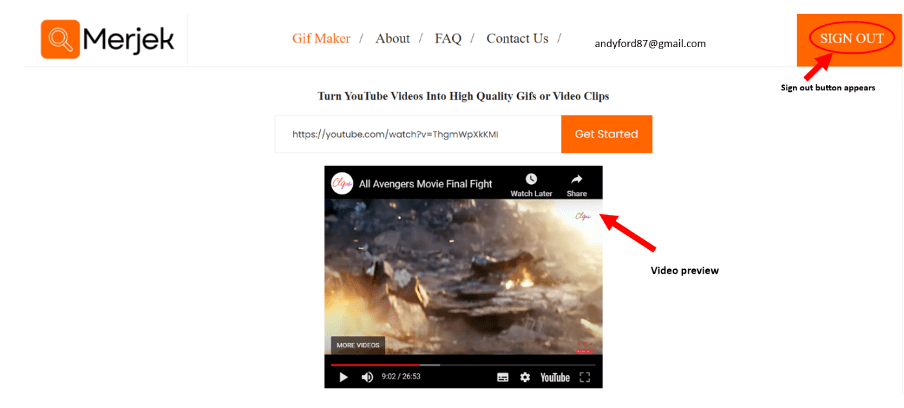
Now, go to the Merjek platform where you can generate a video clip using any browser and device. Simply paste the URL of the video in the input field labeled ‘Enter a YouTube url’ and click the ‘Get Started’ button.

On the next page, you’ll see a small embedded preview of the video you want to generate a clip of. In case, you have pasted the wrong URL you can go back and paste the right one. In this example, we already signed in. More info of how to quickly sign in can be found in this blog article.
Note that another way of getting started is entering the YouTube url directly on the Gif Maker page.
Scrolling down, you’ll see a dialogue box labeled as Input listed various customization features like Output Format, Cycles, Start time, End Time, frames per second (fps), Speed and Width, etc. This example uses a video of the final battle in the Avengers Endgame.
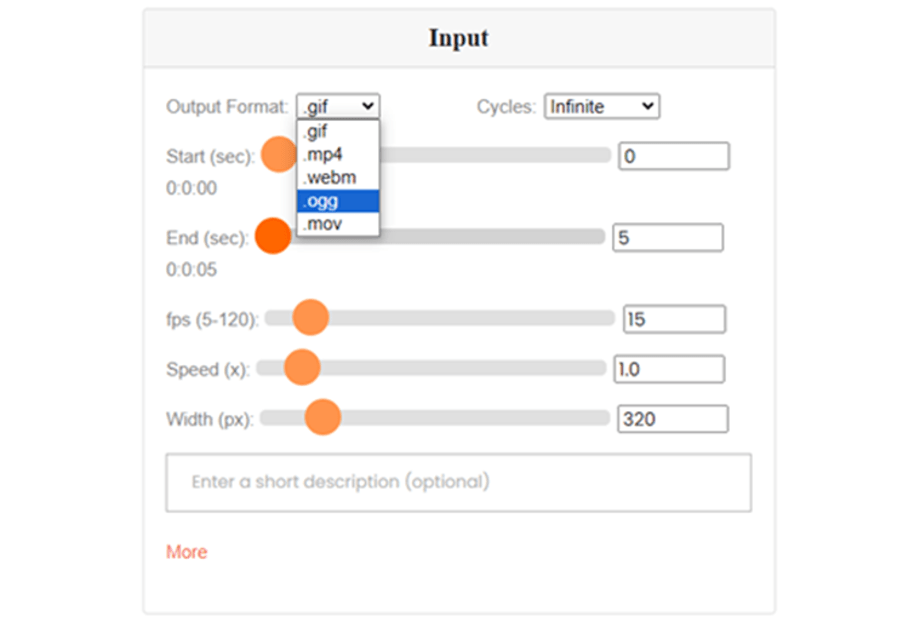
Here, we’ll generate a clip that only covers the part where Thanos disappears at the end. You can use the mouse or arrow keys to move the scroll of the controls and create a clip. If you require any changes in the colors of the video you can click on the ‘More’ link and make adjustments accordingly.
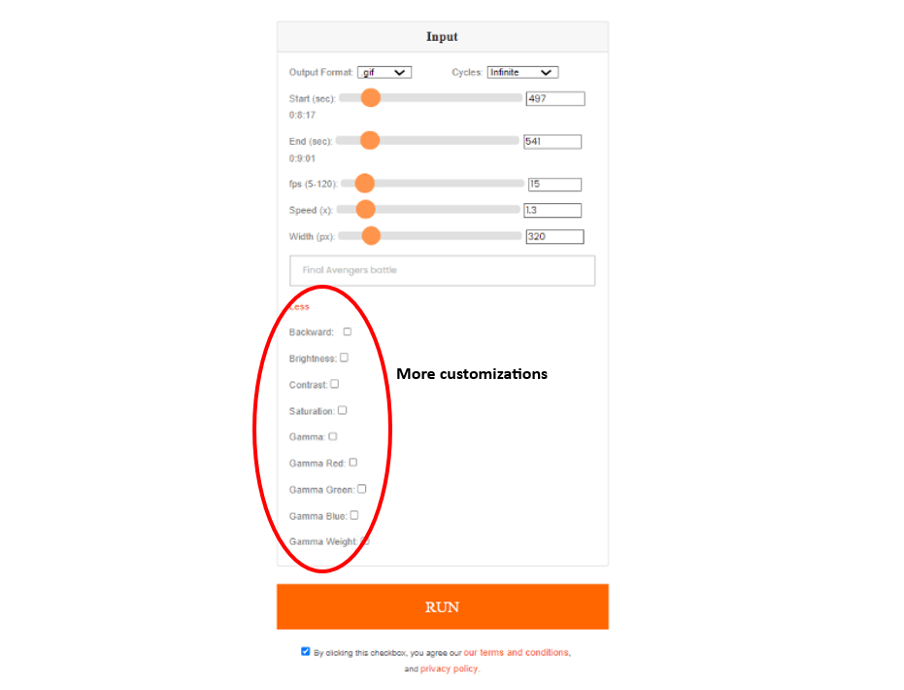
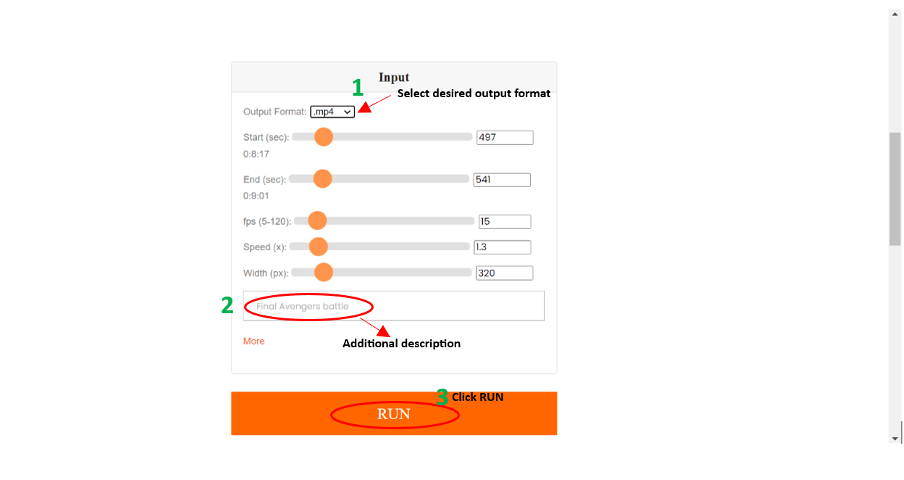
Below is a screenshot of the adjustments made for the Avengers final battle scene clip. You can also add a short description for the clip if needed. Lastly, click the ‘RUN’ button and wait for Merjek to compile the output.
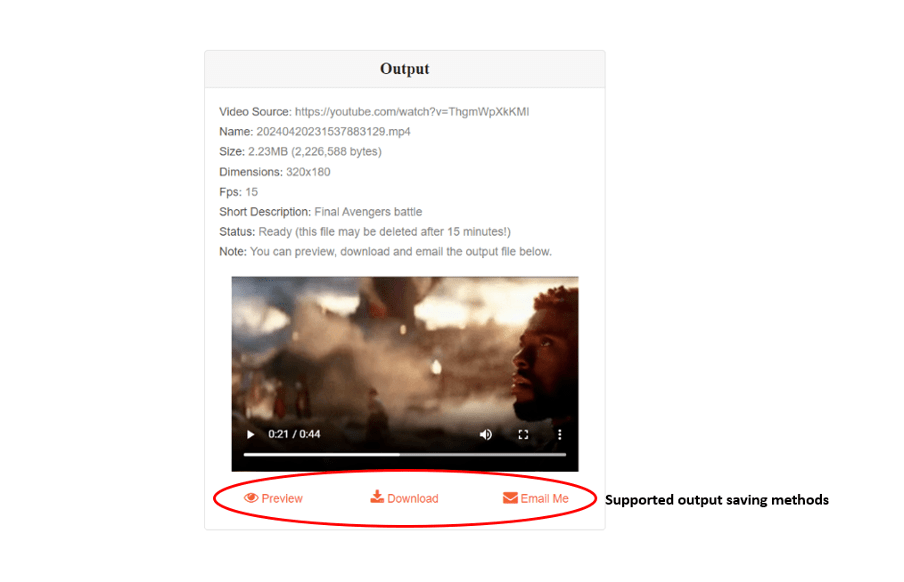
You’ll see an output section appear with a clipped video. You can preview it, download it, or email it to you. The output can be regenerated an unlimited number of times using various input parameter values. Once you have the final output ready and saved, feel free to use it under fair use guidelines!
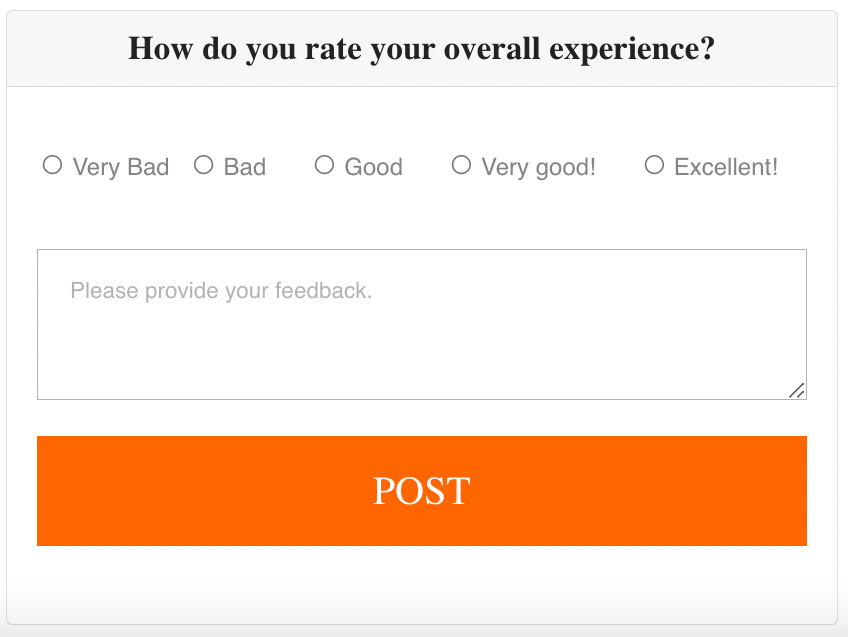
Lastly, there is a feedback box below the output section. Feel free to tell about how well your time went with Merjek to produce this video!
Here is our video clip output made out of the Avengers Endgame YouTube video.
The Final Verdict
Merjek can save you a tremendous amount of time with zero quality compromise when it comes clipping a video from YouTube. With just a few taps and clicks, you can trim your favorite segment from a YouTube video for your next digital project, accessible from any browser and device. You have the option to create a clip in five different formats, tweak its fps, and experiment with gamma adjustments, brightness, contrast, and more to craft a captivating piece.
Note: This post was made for Merjek version 1.0.0
 Merjek
Leave a comment