
Merjek is an online platform that simplifies the creation of gifs, images, and video clips from YouTube.
You can generate an output without going through the sign-in process. However, if you’re not signed in, a Merjek logo will appear on the bottom-left corner of the video clip.
Here are a few straightforward steps to sign in to Merjek.
First, you need to navigate to Merjek’s official website. On the top right of the home page, you’ll see a big orange ‘SIGN IN’ button.

After clicking this button, the website opens the following page, asking you to enter your email.
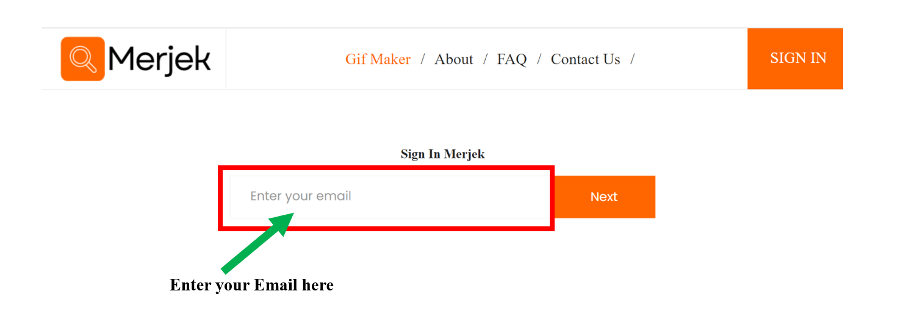
It is better to enter an email that you have logged in to your computer or mobile device because a security key will be sent to the given email. After entering the email, click the ‘Next’ button.
Now, type the 6-digit passcode from the email you received from Merjek in the textbox below.

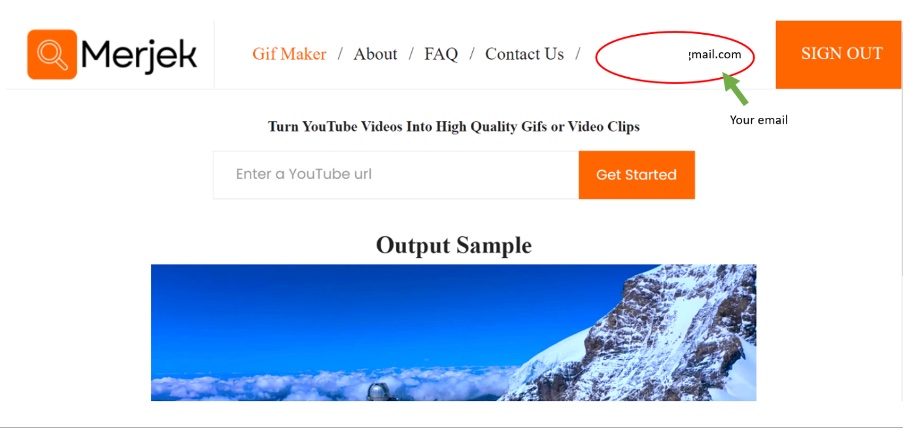
You’ll see your email appearing at the top of the page and the ‘SIGN IN’ button has converted to SIGN OUT. This means that you have successfully logged in and can start making your clip without a logo of Merjek on the bottom left in your output.
Note: This post was published for Merjek version 1.0.0

 Merjek
Leave a comment